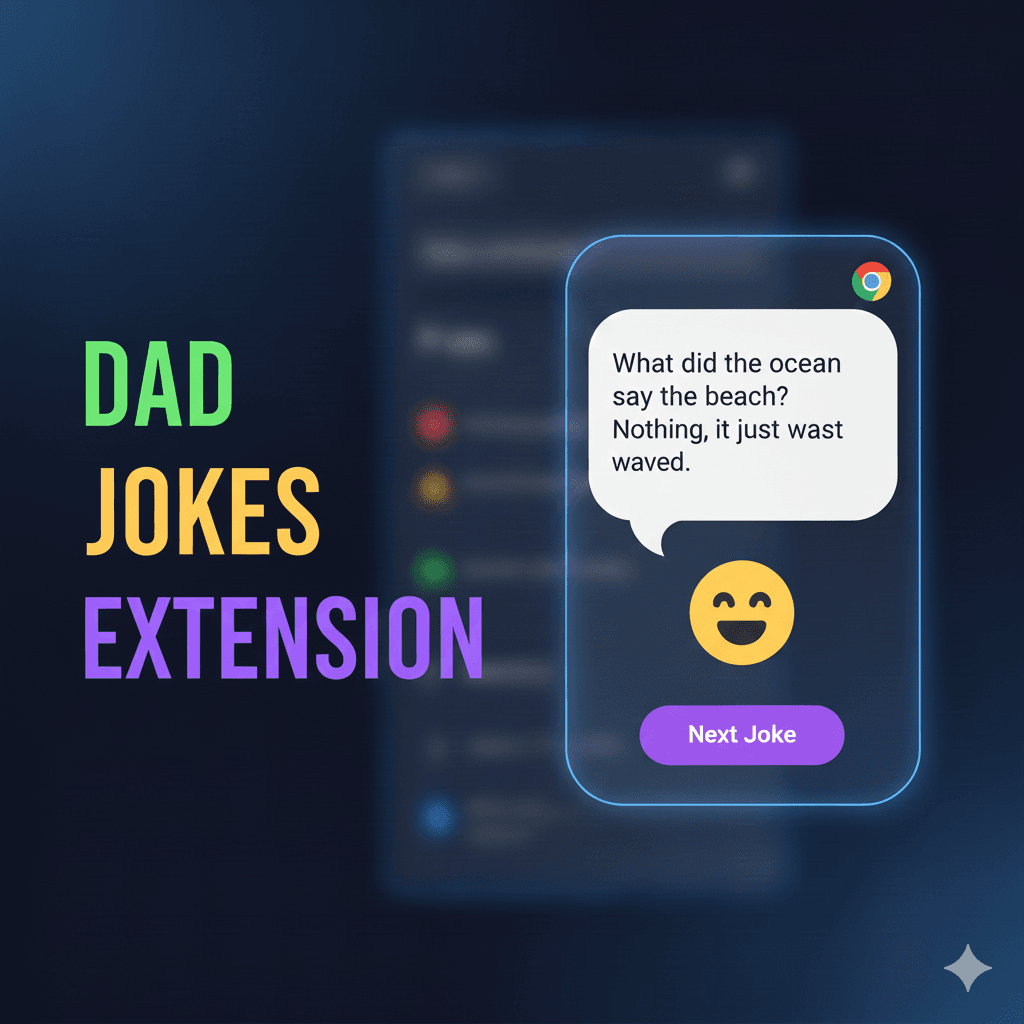
Dad Jokes Chrome Extension
A fun Chrome extension that displays random dad jokes right in your browser! Lightweight, fast, and brings a smile to your face with every click.
Timeline
1 week
Role
Frontend Developer
Team
Solo
Status
CompletedTechnology Stack
Key Challenges
- Chrome Extension API Integration
- Fetching Data from External API
- Extension Popup UI Design
- Manifest Configuration
- Error Handling for API Failures
Key Learnings
- Chrome Extension Development
- Manifest.json Configuration
- Browser Extension APIs
- Fetch API for HTTP Requests
- Extension Popup Design
- icanhazdadjoke API Integration
Dad Jokes Chrome Extension
Overview
A fun and lightweight Chrome extension that brings joy to your browsing experience by displaying random dad jokes with every click. The extension fetches jokes from the icanhazdadjoke.com API and presents them in a clean, simple popup interface. Perfect for taking a quick break, lightening the mood, or sharing a laugh with colleagues.
Key Features
- 🎲 Random Dad Jokes: Get a fresh, random dad joke with every click of the extension icon
- ⚡ Lightweight and Fast: Minimal resource usage with instant joke loading
- 🔌 Works Offline-Free: Fetches jokes from the free icanhazdadjoke.com API
- 🎨 Clean and Simple UI: Minimalist design that focuses on the jokes
- 🖱️ One-Click Access: Easy access from your Chrome toolbar
- 😄 Endless Entertainment: Thousands of jokes from the API database
- 📱 Responsive Design: Adapts to different screen sizes
Why I Built This
I wanted to explore Chrome extension development while creating something fun and useful. This project helped me:
- Learn the fundamentals of Chrome extension architecture
- Understand manifest configuration and permissions
- Practice working with external APIs
- Create a delightful user experience with minimal resources
- Spread some joy and laughter during work breaks
Tech Stack
- HTML5 - Popup structure and content
- CSS3 - Styling and layout
- JavaScript - Joke fetching logic and DOM manipulation
- Chrome Extension API - Browser integration and popup management
- icanhazdadjoke API - Source of dad jokes
How It Works
Extension Setup
When installed, Chrome loads the extension based on the manifest.json configuration, which defines the extension's name, version, permissions, icons, and popup HTML file.
User Interaction
When the user clicks the extension icon in the Chrome toolbar, the browser opens the popup window defined in popup.html, which contains the UI for displaying jokes.
Fetching Jokes
The script.js file runs automatically when the popup opens, making a fetch request to the icanhazdadjoke.com API with the proper headers to request JSON format.
Displaying Jokes
Once the API responds, the joke is extracted from the JSON response and displayed in the popup UI using DOM manipulation, with smooth animations for better UX.
Error Handling
If the API request fails due to network issues or API downtime, the extension displays a friendly error message and allows users to try again.
Project Structure
dad-jokes-chrome-extension/
├── manifest.json    # Extension configuration and metadata
├── popup.html       # Popup UI structure
├── script.js        # Joke fetching and display logic
├── style.css        # Popup styling
├── logo.png         # Extension icon
└── README.md        # Documentation
Technical Highlights
Chrome Extension API
Implemented proper Chrome extension architecture with manifest v3 configuration, defining permissions, popup behavior, and extension icons.
API Integration
Successfully integrated with the icanhazdadjoke.com REST API, sending appropriate headers to receive JSON responses and handling rate limits.
Popup UI Design
Created a clean, minimalist interface that displays jokes clearly with proper typography, spacing, and responsive design.
Error Handling
Built robust error handling for network failures, API downtime, and malformed responses with user-friendly error messages.
Challenges & Solutions
Chrome Extension API Integration
Learned Chrome extension architecture including manifest configuration, popup windows, and browser API interactions to create a functional extension.
Fetching Data from External API
Successfully integrated with icanhazdadjoke.com API by configuring proper fetch headers, handling JSON responses, and managing async operations.
Extension Popup UI Design
Designed clean, user-friendly popup interface with proper sizing, typography, and styling that works well as a browser extension.
Manifest Configuration
Configured manifest.json correctly with appropriate permissions, icons, popup definitions, and metadata for Chrome Web Store compliance.
Error Handling for API Failures
Implemented comprehensive error handling for network failures, API errors, and edge cases with friendly user feedback.
Installation Guide
Method 1: Load Unpacked (Developer Mode)
-
Clone the repository
git clone https://github.com/SaketKothari/dad-jokes-chrome-extension.git -
Open Chrome Extensions
- Navigate to
chrome://extensions/in your browser - Or go to Menu → More Tools → Extensions
- Navigate to
-
Enable Developer Mode
- Toggle the "Developer mode" switch in the top right corner
-
Load the Extension
- Click "Load unpacked"
- Select the cloned
dad-jokes-chrome-extensiondirectory
-
Enjoy! 🎉
- Click the extension icon in your toolbar to get random dad jokes
API Reference
This extension uses the free icanhazdadjoke API:
- Endpoint:
https://icanhazdadjoke.com/ - Method: GET
- Headers:
Accept: application/json - Response: JSON object with joke text and ID
- Rate Limit: Fair use policy (no strict limits)
Problem Solved
Everyone needs a quick break and laugh during work. Opening a new tab to visit joke websites is distracting and time-consuming. This extension brings humor directly into the browser toolbar - one click, one joke, instant mood boost.
What Makes It Unique
While simple in concept, this extension demonstrates Chrome Extension development fundamentals including manifest configuration, popup windows, and external API integration. The minimalist design focuses purely on delivering jokes without ads or distractions - something many joke websites fail to do.
Impact
- Chrome Extension Skills: Learned the complete Chrome extension development workflow from manifest.json to Chrome Web Store deployment
- API Integration Practice: Practiced async/await patterns and error handling in a small, focused project
- Joy Delivery: Created something that genuinely makes me and others smile during coding sessions - the ultimate reward for any project
Future Enhancements
- Add joke categories and filtering
- Implement favorite jokes feature
- Add joke sharing via social media
- Create joke history/log
- Add dark mode support
- Implement joke of the day notification
- Add multiple joke sources
- Create custom joke submission feature